

At a glance
- Latest shows your most recent landing; History lists every landing on this computer.
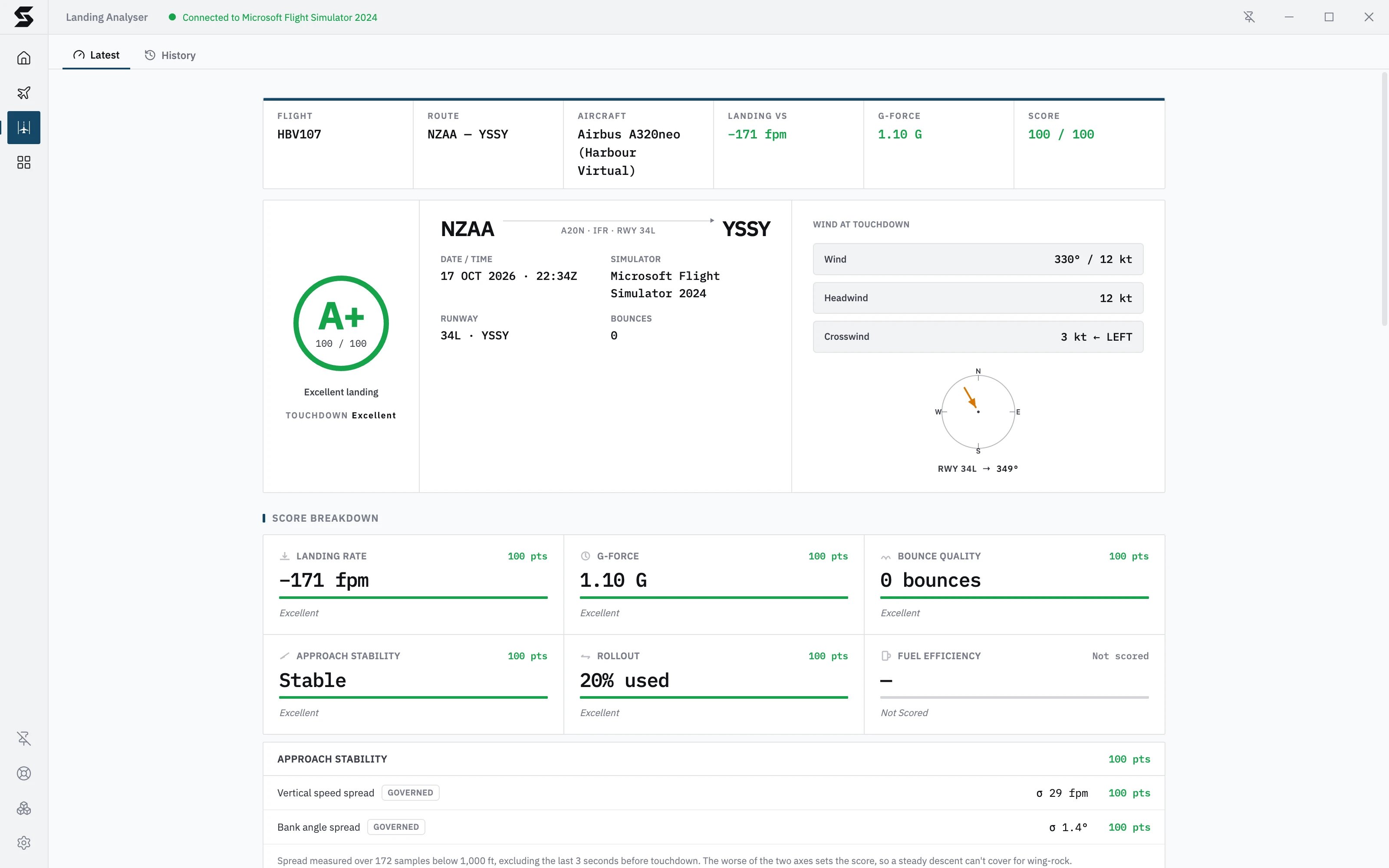
- The ring at the top is your overall grade. The six cards under Score Breakdown show where the points came from.
- Unstable approach under the grade means the 50 ft check failed, which caps your approach score.
- The caption under the runway diagram says where the runway’s position and length came from.
- The Frame Data Recorder at the bottom has every recorded frame around touchdown.
Open a report
- Click Landing Analyser in the sidebar.
- Latest opens your most recent landing. During a flight, it shows that flight’s landing once you’re down.
- Click History for older landings, then click one to open its full report.
The top strip
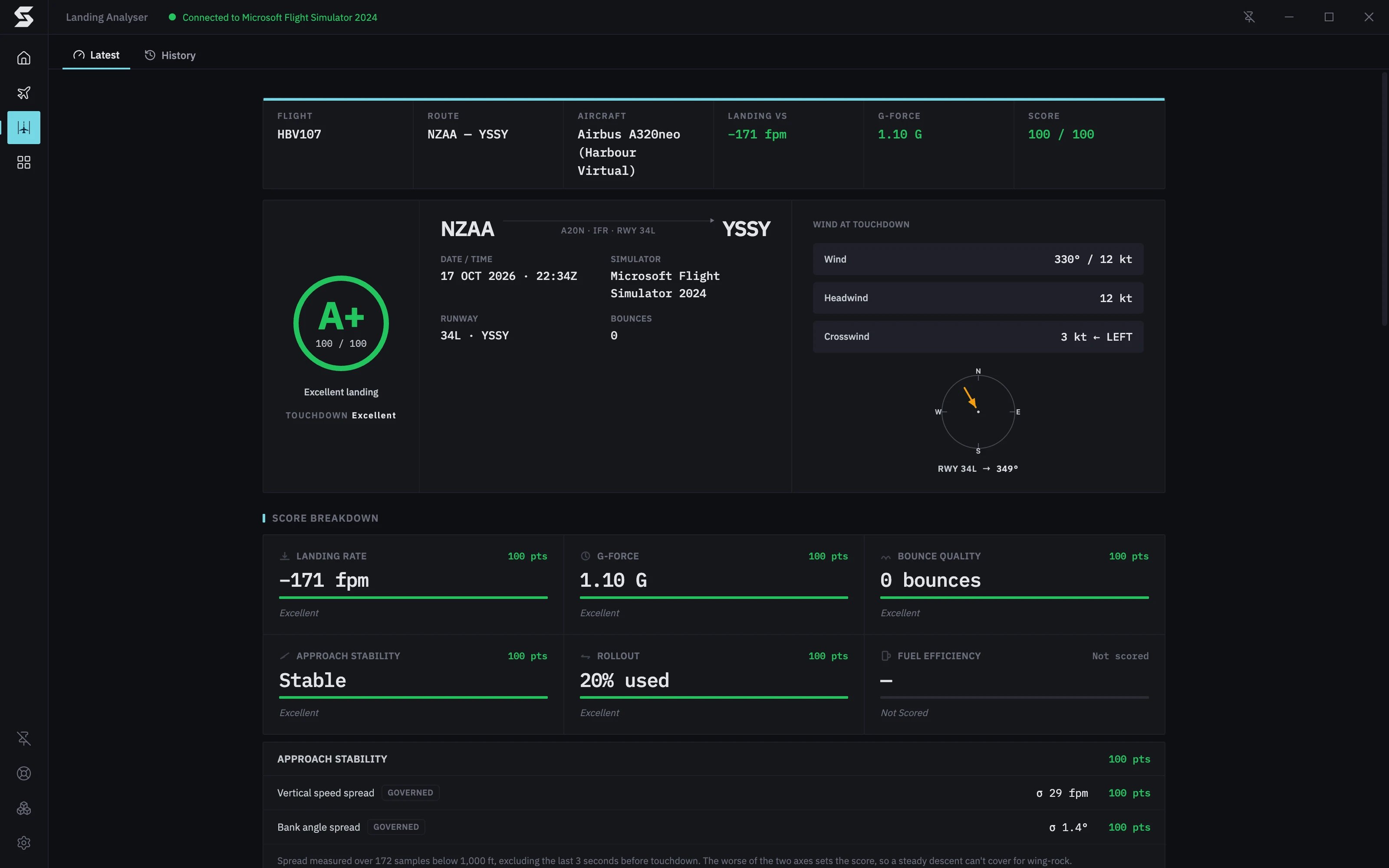
The strip across the top sums up the landing in one line: Flight, Route, Aircraft, Landing VS, G-Force and Score. Landing VS is your landing rate as Stratos measures it. When the simulator’s own vertical speed at touchdown differs from it by 25 fpm or more, a small Sim VS figure appears under it. Click it to see why there are two numbers. Sim VS is for reference only and doesn’t affect your score. Landing rates explains the difference.Grade, flight and wind
The panel under the strip has three columns. The score ring shows your letter grade (A+ down to F), your score out of 100 and a one-line verdict, from Excellent landing to Poor landing. Under it:- Unstable approach appears when the aircraft failed the 50 ft check, with what failed (sink rate, speed or bank) and by how much. See Approach stability below.
- Touchdown gives a verdict on the touchdown alone, led by the landing rate. It’s separate from the overall grade, which also counts the approach, rollout and fuel.
Score Breakdown
Six cards show how each category scored. Each card has the measured value, the points it earned out of 100, a bar and a short verdict.
A card that says Not scored and is greyed out was left out of your score, so it neither helps nor hurts:
- Approach Stability: too few samples below 1,000 ft, usually because tracking started low.
- Rollout: Stratos couldn’t match you to a runway with confidence. The card shows your rollout distance instead.
- Fuel Efficiency: there was no flight plan to compare against. Set your SimBrief username in Settings → General so Stratos can find your plan.
Approach stability and the 50 ft gate
Under the cards, the Approach stability panel shows the working behind that card. The top half measures how steady you were below 1,000 ft, leaving out the last 3 seconds before touchdown:- Vertical speed spread and Bank angle spread, each with its own points.
- The worse of the two sets the score, marked Governed. A steady descent can’t make up for rocking the wings.
- Sink rate: your descent rate against the limit.
- Speed: how far above Vref you were. This needs a Vref from your SimBrief plan; without one it says Not checked and the other two still run.
- Bank: your bank angle against the limit.
Runway Diagram
A top-down drawing of the runway you landed on, with its markings, where you touched down and how far you rolled. The labels give:- TOUCHDOWN: how far past the landing threshold you touched down.
- ROLLOUT: how far you rolled after touchdown.
- RUNWAY: the runway’s name and length.
- DISPLACED: a displaced threshold, when the runway has one.
If your touchdown point looks wrong, check the caption first. A report built from ourairports.com can differ from your scenery when the runway in your simulator has moved or been lengthened.
Flight Data
Three charts of the last moments before touchdown:- Vertical Speed · Flare: your descent rate from 10 seconds before touchdown (T−10) to 2 seconds after (T+2). The green band marks the target of under 200 fpm, and the touchdown point is labelled with your landing rate.
- G-Force · Touchdown: g load over the same window, with your peak g marked.
- Approach Profile · Altitude AGL: your height above the ground in the final seconds, drawn against a glideslope reference line, with the 50ft GATE line.
Detailed Data
Click Detailed Data to open every measured value, in six groups:- Touchdown: vertical speed, Sim VS, peak g, bounces, pitch, bank, airspeed, groundspeed and flap setting.
- Approach (50ft Gate): altitude, vertical speed and speed at the gate, Vref and how far above it you were, glideslope and localiser deviation, and the autobrake setting.
- Descent: average vertical speed over the final 10 seconds, and how long, how high and how well you flared, with your pitch rate in the flare.
- Rollout & Fuel: landing distance, runway used, touchdown distance from the threshold, reverse thrust, fuel on landing, the planned fuel remaining and the difference.
- Departure Runway and Arrival Runway: the runway, and how far your heading and position were off its centreline.
Frame Data Recorder
The table at the bottom lists every frame recorded around the landing: Time, Phase, AGL ft, Descent fpm, Sim VS, IAS kt, GS kt, Pitch °, Bank °, G-Force and On Ground.- Show: narrows it to All frames, Approach, Flare, Touchdown or Rollout.
- ↳ Jump to capture row scrolls to the frame where your landing rate was taken.
- Sample rate shows how often a frame was recorded.
Landing history
History lists your landings, newest first. Each row shows the grade, the route, the aircraft, the date and time, the landing rate, the peak g and the score. Click a row to open its full report, and use Previous and Next to page through. History is kept on this computer. A landing flown on another computer appears in that computer’s history, not this one.Related pages
- Landing score: how the six categories are scored and weighted.
- Landing rates: how Stratos measures the landing rate, and why it can differ from other trackers.
- Flight phases